Is It Possible to Sign Up for a Website Without Giving Your Email Address?
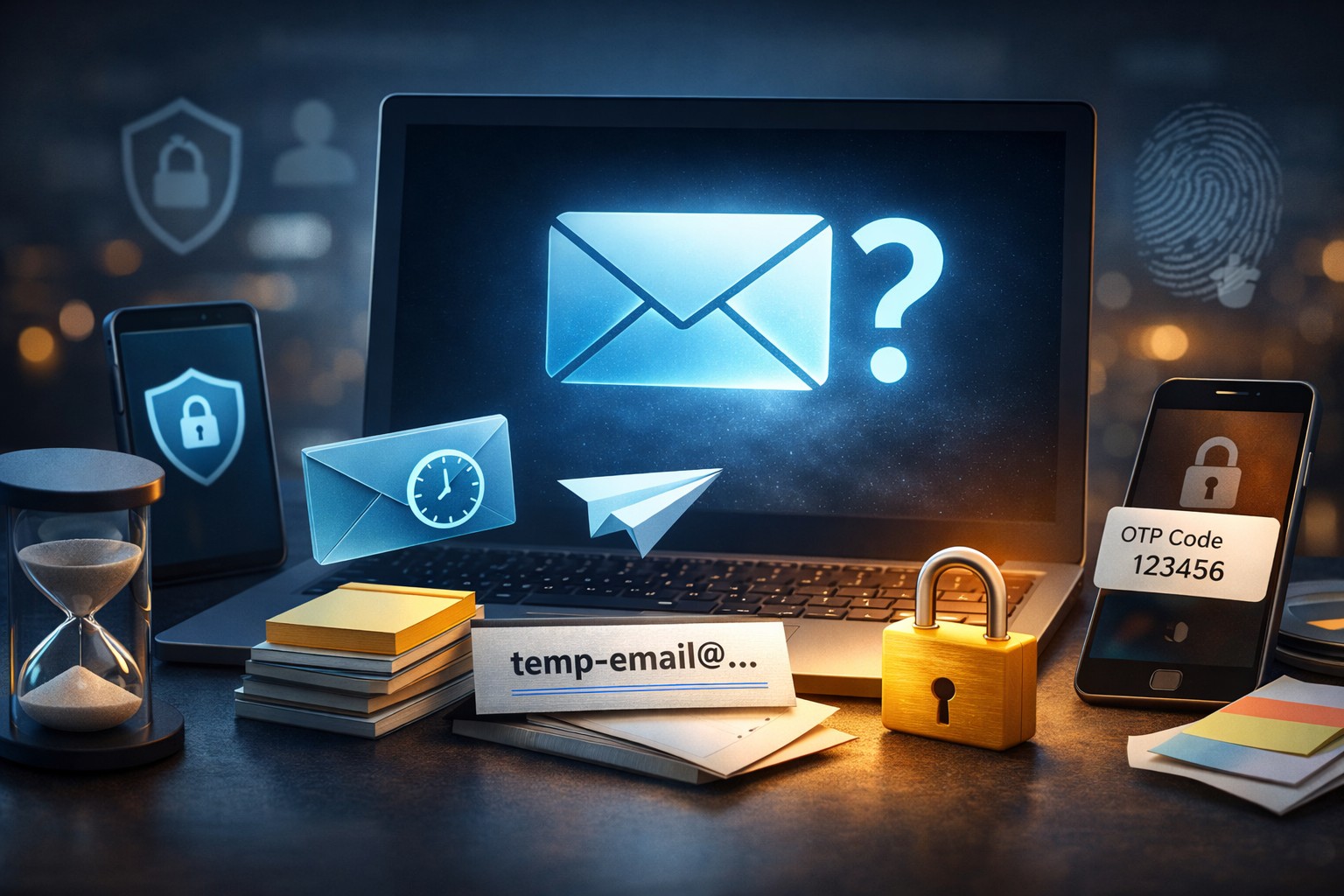
You can often sign up without sharing your real email address by using safer alternatives like temp mail, social login, or one-time verification methods.
Yes—but not in the way many people first imagine. Some websites let you create an account without handing over your personal inbox, while others still require an email field for verification, password recovery, or basic account management. In practice, the real question is not whether you can sign up with absolutely no email at all, but whether you can register without exposing your real email address.
That distinction matters. A lot of people are not trying to avoid registration completely; they just do not want another coupon site, free tool, forum, or trial platform sending endless promotions to their private inbox. And honestly, that concern is fair. Between spam, data leaks, aggressive remarketing, and random newsletters you never intended to subscribe to, sharing your main address too freely can become a problem fast.
For one-time use, quick verification, and privacy-friendly signup flows, a temporary email is often the simplest answer. It gives you a working inbox for registration without tying the account to your personal address. That makes it especially useful when you want access, but not an ongoing relationship.
Why Do People Want to Sign Up Without Using Their Real Email?
Most users are not trying to hide for suspicious reasons. They are trying to reduce noise, protect privacy, and keep control over who can contact them. That is a very normal internet habit now.
Think about common situations: downloading a free design asset, opening a trial account for a SaaS tool, joining a forum to read one discussion, or signing up for a coupon website just once. In those moments, giving your real address can feel like too much. You need access, yes, but you may not want follow-up campaigns for the next six months.
The usual motivations are pretty clear:
- To avoid spam emails and promotional overload
- To protect a personal inbox from unknown platforms
- To reduce exposure in case a site later suffers a data breach
- To keep work and personal communication separate
- To complete a one-time signup without long-term contact
- To test a service before deciding whether it is worth using regularly
We see this especially with free trials, gated downloads, discussion boards, online tools, limited-time campaigns, and content unlock pages. Users want convenience, but they also want boundaries. That balance is exactly why privacy-friendly signup methods have become so useful.
Can You Create an Account Without Giving Any Email at All?
Sometimes, yes. But not often. A completely email-free signup is possible only on certain websites and usually under limited conditions.
Some platforms allow guest checkout, meaning you can place an order without creating a full account. Others allow social login through Google or Apple, so you never manually type an email into the form. A few services may let you register with a phone number instead. In those cases, it can feel like you signed up without email, even though an email identity may still exist behind the scenes.
However, many websites still depend on email for:
- Account verification
- Password reset and recovery
- Security alerts
- Login confirmations
- Receipts, onboarding, or account updates
So yes, you can sometimes create an account without giving any email at all. But for most websites, that is the exception—not the rule. More commonly, you can sign up without giving your personal email, which is a different and far more realistic goal.
The Difference Between “No Email” and “No Real Email”
This is the key idea behind the whole topic. “No email” means the site does not require an email address from you in any form. “No real email” means the site does require an email, but you choose not to use your personal one.
That difference sounds small, yet it changes everything. If a website allows guest access or phone-based registration, you may truly avoid email. But if the site asks for an inbox to send a code, activation link, or welcome message, then you need some type of working address. It just does not have to be your primary one.
In practice, most users are looking for the second option. They are asking things like:
- Can I register without giving my real email?
- Can I use a disposable email for verification?
- Can I keep my private inbox clean while still opening the account?
The answer to those questions is often yes. And that is where temporary inboxes, 10 minute mail services, aliases, and social sign-ins become useful. They do not eliminate the need for an address in every case, but they do help you avoid sharing the one you actually care about.
Best Ways to Sign Up for a Website Without Giving Your Personal Email
There is no single method that works for every site. Some services accept disposable inboxes. Some reject them. Some are easier to join with a social account. Others prefer phone verification. The best approach depends on how long you plan to use the account and how much privacy you want to keep.
Here are the most practical options.
Using a Temporary Email Address
A temporary email address is often the fastest way to sign up without exposing your private inbox. Instead of entering the address you use for work, banking, shopping, or personal conversations, you use a short-term inbox created specifically for registration.
This method works especially well for one-time signups, quick downloads, trial platforms, content unlock pages, forum access, and tools you are not sure you will ever use again. The idea is simple: receive the verification email, confirm the account, and keep your real inbox out of the loop.
For users who want a practical and privacy-friendly option, temp mail can be a clean solution. It helps protect your inbox from spam, reduces unnecessary exposure, and keeps signup flows simple when the site only needs a working address for basic verification.
What makes this option appealing is data minimization. You are sharing only what is required to complete the action. No extra exposure, no opening the door to endless follow-up emails, and no mixing disposable signups with important personal communication. For short-term use, it just makes sense.
Using a 10 Minute Mail for Fast Verification
Sometimes you do not need an inbox for hours or days. You need it for three minutes. Maybe you are downloading a free PDF, testing a browser tool, checking a gated template library, or joining a discussion board just to read one thread. In those situations, a short-lived inbox is often enough.
That is where 10 minute mail becomes useful. It gives you a temporary address designed for quick verification flows. You enter it during registration, receive the confirmation code or link, activate the account, and move on. No long-term inbox management, no clutter in your real email, no unnecessary follow-up.
Of course, this works best when the site sends the verification message immediately and you do not expect to need later communication. If the platform delays the email or requires ongoing access, a short-duration inbox may be too limited. But for fast, one-time signups? Very practical.
Signing Up with Social Login Instead of Email
Another common path is social login. Many websites let you sign in with Google, Apple, or another identity provider instead of filling out a standard registration form.
On the surface, this feels like signing up without email. You do not type an address manually, and the process is usually faster. However, in many cases the platform still receives an email linked to that social account. So it is not truly email-free; it is just email-light from the user’s point of view.
This option can still be convenient if speed matters more than strict separation. But if your goal is to hide your real email entirely, social login may not be ideal. It depends on how the provider shares account details and what permissions you approve during signup.
Using Email Aliases or Forwarding Addresses
Aliases are another useful option, especially if you want more control over long-term access. An alias is not the same as a disposable inbox. It is usually a masked version of your real email that forwards messages to your main account.
This can be handy when you want to keep your personal address private while still receiving future emails, password resets, and account notices. In other words, it works better for accounts you may keep for a while. If a site starts sending too much junk, you can often disable that alias and cut off the flow.
Compared with temporary email, aliases are more suitable for medium-term use. Compared with social login, they give you more separation. Compared with using your real address directly, they reduce exposure. So the right method comes down to intent: one-time access or ongoing account?
When Temporary Email Works Best
Temporary email is ideal when the account is not central to your life and the inbox is needed mainly for initial verification. That sounds obvious, but it is a useful rule of thumb.
It usually works best in scenarios like these:
- Signing up for a coupon or deal site you may use once
- Downloading a free tool, guide, or template
- Opening a trial account to test a product
- Joining a forum just to access one thread or file
- Creating a throwaway account for comparison research
- Accessing a webinar, gated article, or promotional campaign
In all of these cases, the key pattern is the same: you need temporary access, not a lasting communication channel. You want secure verification without making your real inbox part of the transaction. Temporary email fits that use case very well.
It is also useful for people who run a clean inbox policy. Some of us really do not want random registrations mixed in with client messages, receipts, travel confirmations, and family mail. Fair enough.
When You Should Not Use a Temporary Email
Temporary email is useful, but it is not universal. Some accounts are too important, too sensitive, or too long-term for a disposable inbox to be a smart choice.
You should avoid temporary email when signing up for:
- Banking, finance, insurance, or tax-related services
- Government and official institution portals
- Healthcare accounts or records platforms
- Main work tools or business software you rely on regularly
- Subscription services you plan to keep long term
- Platforms where account recovery may become important later
There is a simple reason. If the account matters, the recovery channel matters too. Password resets, security alerts, billing notices, and login approvals are not things you want to miss. A disposable inbox may solve the signup step but create a future problem when you need access again.
Also, some websites actively block disposable domains. They may detect a temporary inbox and reject the registration. That does not mean the method is unsafe or wrong; it just means not every platform accepts it. In practice, acceptance varies.
How to Sign Up Safely Without Exposing Your Real Inbox
If you want to register without giving your personal email, the safest approach is to match the method to the purpose of the account. Not every signup deserves the same level of commitment.
Here is a simple step-by-step process:
- Decide whether the account is one-time, short-term, or long-term.
- If it is one-time or experimental, use a temporary inbox.
- If it is medium-term, consider an alias or forwarding address.
- If convenience matters more than strict privacy, review whether social login is acceptable.
- Check whether the website requires ongoing email access for recovery or alerts.
- Complete the verification promptly and save any important credentials securely.
- Do not use temporary email for financial, legal, or critical personal accounts.
One more point: always read the signup screen carefully. Some websites quietly subscribe new users to newsletters by default. Even when you use a temporary inbox, it is still smart to uncheck what you do not need. Less exposure is better than cleaning up after the fact.
Are Temporary Emails Legal and Safe to Use?
In normal privacy-focused use cases, yes. Using a temporary email to protect your inbox, reduce spam, or sign up for a one-time service is generally a legitimate and practical choice. It is simply a tool for controlling how much personal information you share online.
Safety, however, depends on context and expectations. Temporary emails are safe when used for low-risk registrations, basic verification, and disposable access scenarios. They are not a substitute for secure identity management on important accounts.
It also helps to be realistic. A temporary email is not magic. It will not work on every website, and it is not designed for every purpose. What it does well is reduce unnecessary exposure. It lets you protect your privacy, avoid spam, and keep your real inbox clean when the site only needs a short-term communication channel.
Used that way, it is a sensible option. Used for accounts that require long-term access and dependable recovery, not so much.
If you need to register for a website without exposing your personal inbox, using a temporary email can be one of the fastest and safest options for one-time access, quick trials, and low-risk signups.
Final Answer: Is It Really Possible?
Yes—usually not without any email at all, but very often without giving your real email address. That is the honest answer.
Some websites allow guest access, phone-based registration, or social login. Many still require an inbox for verification. In those cases, the most practical solution is to use a temporary email for signup when the account is short-term and low-risk. It helps protect your privacy, avoid spam, and reduce unnecessary exposure.
That said, not every platform accepts disposable inboxes, and not every account should use one. For important services, long-term access matters more than convenience. But for one-time registrations, quick trials, content downloads, and similar tasks, signing up without revealing your personal email is not only possible—it is often the smarter move.
Frequently Asked Questions
Can I sign up without email on every website?
No. Some websites allow guest checkout, social login, or phone-based registration, but many still require an email address for verification or account recovery.
Can I register without giving my real email address?
Yes, in many cases you can. A temporary email, alias, or masked forwarding address can help you register without exposing your personal inbox.
Is temporary email for signup safe?
It is generally safe for one-time, low-risk registrations such as free tools, forums, trial accounts, and gated downloads. It is not ideal for sensitive or long-term accounts.
Can websites detect temporary email addresses?
Yes, some websites can detect disposable domains and may block them during registration. Acceptance depends on the platform’s policies and filtering rules.
Does social login count as signing up without email?
Not exactly. You may not type your address manually, but the website often still receives an email identity tied to your Google, Apple, or similar account.
What is the difference between a disposable email and an alias?
A disposable email is usually temporary and short-lived. An alias often forwards messages to your main inbox and works better when you may need long-term access.
Can I use a temporary inbox for email verification codes?
Yes, that is one of the most common use cases. Many users rely on temporary inboxes to receive activation links or one-time codes during quick signups.
When should I avoid using a temporary email?
You should avoid it for banking, healthcare, government services, work-critical tools, or any account where recovery emails and long-term communication are important.
Will temporary email stop all spam forever?
It can reduce spam tied to that specific signup, but it is not a complete privacy shield for every online activity. It is best seen as one practical layer of protection.
Can I recover an account later if I used a disposable email?
Maybe not. That is one of the main limitations. If the inbox expires or becomes inaccessible, password recovery and account alerts may become difficult.
Is 10 minute mail enough for website registration?
Often yes, especially when the website sends its verification email immediately. For delayed messages or accounts you may need later, a longer-lasting option is better.
Why do websites ask for email in the first place?
Usually for verification, password resets, security notifications, onboarding messages, and account-related communication. Some also use it for marketing, which is exactly why many users prefer not to share their real address.
16/04/2026 12:20:00
