How to Bypass Email Verification? (2026 Updated Guide)
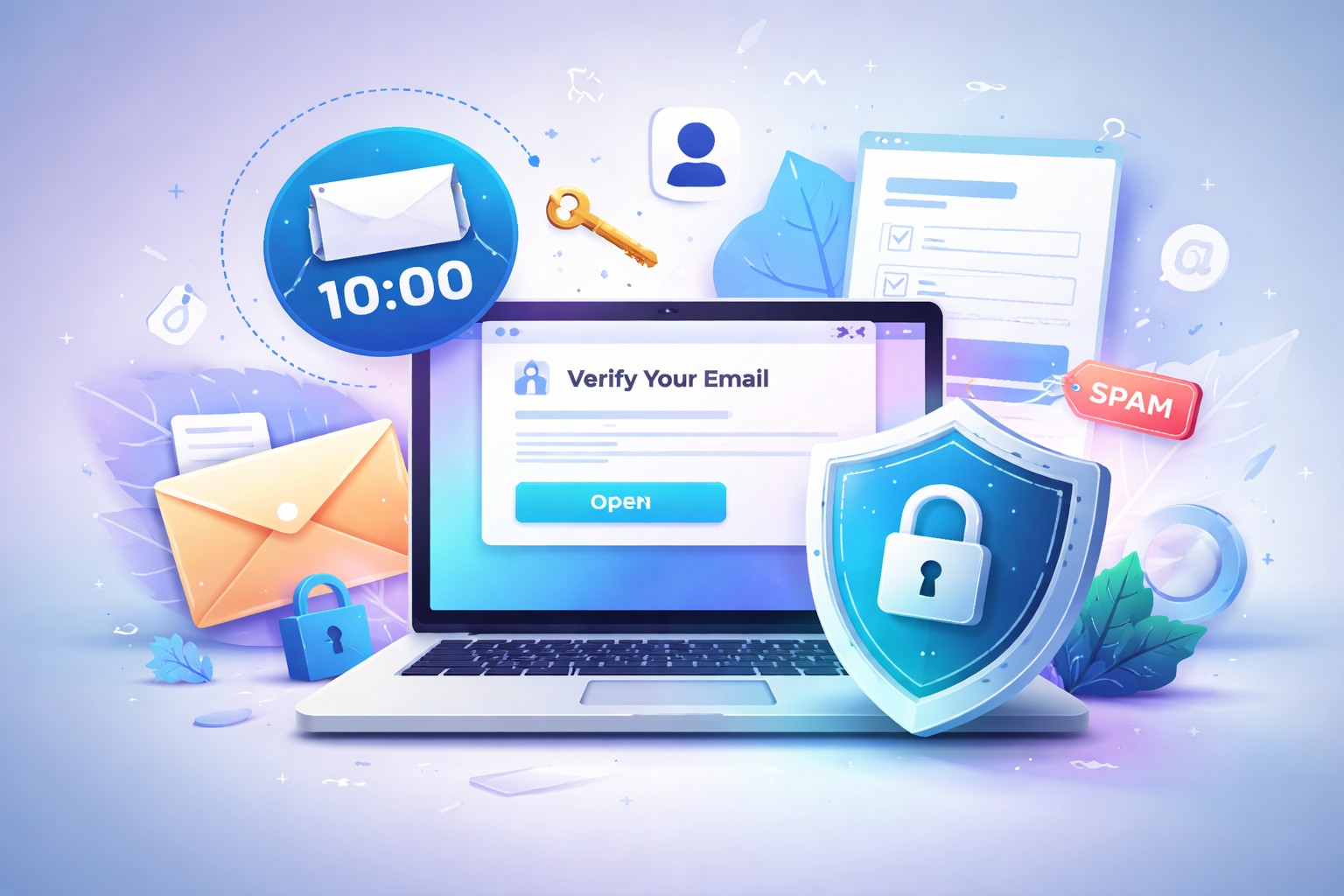
Learn how to complete email verification without exposing your personal inbox by using privacy-first temporary email options for one-time signups.
You want to create an account, unlock a download, join a forum, or claim a discount code, but you do not want to hand over your real email address. That situation is more common than most websites admit. In practice, many users searching for how to bypass email verification are not looking for a shady shortcut at all. They simply want a safe way to complete signup without inviting spam, promotions, or long-term marketing emails into their main inbox.
That is the real issue this guide solves. In most cases, “bypass” does not mean breaking the verification step. It means getting through it without exposing your personal email. In 2026, the most realistic approach is not skipping verification altogether, but using a privacy-friendly temporary inbox to receive the code or confirmation link, activate the account, and move on.
What Does “Bypass Email Verification” Really Mean?
The phrase sounds aggressive, but user intent is usually much simpler. Most people who search for bypass email verification are really asking one of these questions:
- How can I verify an account without using my personal inbox?
- How can I avoid spam emails after signup?
- How can I receive a verification link anonymously for a one-time registration?
- How can I keep my main address private when testing a platform?
So, the modern email verification bypass idea is less about “skipping rules” and more about protecting inbox privacy. That distinction matters. It keeps expectations realistic and helps you choose a method that is actually useful.
Is It Possible to Skip Verification Completely?
Usually, no. Most websites require email verification because they want to confirm that a user can receive messages, activate the account, and sometimes recover access later. If a service is designed properly, there is no clean universal way to remove that step from the user side.
That is why the practical answer is different from the search phrase. Instead of trying to skip verification completely, you complete it with a one-time email address. This lets you pass the required step while keeping your real inbox out of the process.
The Difference Between Skipping Verification and Protecting Your Real Email
These are not the same thing, and mixing them up causes problems. Skipping verification means trying to avoid the system entirely. Protecting your real email means still following the flow, but using a throwaway or temporary address to receive the code or link safely.
Bizce this is the most honest way to frame the topic. It gives readers a solution that works for everyday situations without pretending there is some secret trick hidden behind a dramatic keyword.
Why Websites Ask for Email Verification in 2026
Before choosing a method, it helps to understand why the requirement exists at all. Websites do not ask for verification just to annoy users. In 2026, verification has become part of a broader trust and abuse-prevention system.
Spam Prevention and Account Security
Many services use verification to reduce fake registrations, automated signups, bot abuse, and low-quality account creation. A valid inbox gives platforms one basic signal that a person can receive follow-up communication. It is not perfect, of course, but it filters out a large chunk of junk activity.
Verification also supports basic account security. It can confirm ownership of the signup address and create a contact point for warnings, login alerts, or account-related notices. That is especially relevant for platforms that deal with community moderation, trial access, usage limits, or suspicious behavior detection.
Marketing, Retention, and Lead Collection
There is another reason too, and honestly, users can feel it right away. Many businesses want your email because it becomes part of their retention pipeline. Once your real address is inside the system, it can be used for onboarding sequences, reminders, promotional campaigns, win-back flows, and cross-sell messaging.
This is exactly why people look for ways to verify without personal inbox exposure. They may need access to one feature, one file, one coupon, or one community thread. They do not necessarily want months of promotional mail after a two-minute interaction. Fair enough.
The Safest Way to Bypass Email Verification Without Using Your Real Inbox
The safest practical approach is to use a temporary email address. Instead of giving your long-term inbox to every form on the internet, you use a short-lived address that can receive the verification message, complete the registration, and keep your primary email private.
If you want to complete verification without exposing your personal inbox, using a temp mail service is usually the simplest option.
How Temporary Email Works
A temporary email service generates an address you can use immediately. You copy that address, paste it into the signup form, and wait for the platform to send its verification email. Once the message arrives, you open it in the temporary inbox and click the activation link or enter the code.
The process is simple, and that simplicity is the point. You are not removing verification. You are redirecting it away from your personal inbox. For privacy-focused users, this can be a clean way to avoid spam emails, protect identity details, and separate one-time signups from important daily communication.
When a Disposable Email Makes Sense
Disposable email is especially useful when the account is low-risk, short-term, or non-essential. Think about situations like:
- Downloading a free tool or resource
- Joining a forum to read or post once
- Claiming a coupon or access code
- Testing a trial platform before deciding whether it is worth keeping
- Viewing gated content behind a registration wall
- Creating a one-time account for a brief task
In these cases, a temporary email for signup often makes more sense than feeding your real address into another marketing database. You still get the verification code. You still finish the registration. You just avoid unnecessary exposure.
Step-by-Step: How to Use a Temp Mail for Email Verification
Here is the most practical flow. Keep it simple and do not overthink it.
- Open a temporary inbox generator and copy the email address it creates.
- Paste that address into the website’s signup form.
- Keep the temporary inbox page open in your browser.
- Wait for the verification email to arrive.
- Open the message and click the verification link or copy the code.
- Return to the original platform and complete the account activation.
That is it. In many everyday scenarios, the solution is that direct.
Generate a Temporary Address
Start by creating a temporary address instantly. You do not need a complex setup for this. The goal is speed, privacy, and one-time usefulness. A good secure temporary inbox should let you get an address in seconds, without friction and without demanding a full account creation process first.
This is why so many users prefer disposable email for verification rather than creating yet another permanent mailbox they never plan to use again.
Use It on the Signup Form
Once you have the address, enter it into the registration field exactly as you would with a normal email. From the platform’s point of view, you are still completing the required step. You are just using a one-time email address instead of your everyday one.
This is where the privacy benefit becomes obvious. You can sign up without giving real email details, and your main inbox stays protected from whatever follows next.
Receive the Verification Link or Code
Most websites send one of two things: a clickable verification link or a short verification code. Watch the temporary inbox and wait for the message to appear. On some platforms it arrives instantly. On others it takes a minute or two.
If it does not arrive, check whether the site is delaying new account verification or whether the domain is blocked. Some services are stricter than others. More on that below.
Complete the Signup Without Exposing Your Personal Email
After you click the link or paste the code, the account is usually activated. At that point, you have completed verification safely without using your personal inbox. For one-time signups, that can be exactly the balance you want: access without long-term email exposure.
Gördüğümüz kadarıyla this method feels especially useful when you know the relationship with the platform will be short. You want the result, not an ongoing email thread.
Best Use Cases for Temporary Email Verification
Not every signup deserves a permanent place in your inbox. Some registrations are clearly transactional, temporary, or experimental. In those cases, using a burner email for verification is often the cleanest move.
One-Time Signups
You need access once, maybe twice. Perhaps it is a file download, a webinar replay, a template library, or a gated article. You know you are not building a long-term relationship with the site. A disposable email for one-time registration fits naturally here.
Honestly, this is where temporary email shines most. Quick in, quick out, no clutter later.
Trial Accounts and Download Gates
Many tools ask for signup before they reveal a demo, trial dashboard, or installer link. If you are simply evaluating the product, a temporary email for signup can protect your personal inbox while still letting you test the service properly.
It also helps you avoid the annoying pattern where a trial turns into a month of reminder emails. Useful during testing, not ideal after it.
Coupon, Forum, and Community Registrations
Some people want to unlock a discount code, ask one question in a niche forum, or read a discussion thread in a gated community. These are classic anonymous signup scenarios. You may not want your primary inbox connected to every coupon page or community board you visit.
For very short-lived signups or one-time confirmation emails, a 10 minute mail option can be more practical.
When Temporary Email Will Not Work
Now for the part many articles skip. Temporary email is useful, yes, but it is not universal. There are clear limitations, and ignoring them leads to frustration later.
Sites That Block Disposable Email Domains
Some platforms actively block disposable email domains at the signup stage. They maintain lists of known temporary inbox providers and refuse registration when one of those domains appears in the form.
This is more common on services that fight fake signup risk, repeated free-trial abuse, spam posting, or high-volume account creation. If a site rejects your address immediately, that does not always mean you did something wrong. It may simply mean the platform has chosen to filter temporary email domains.
Services Requiring Long-Term Inbox Access
If you will need future messages from the service, temporary email may not be the right tool. Think about recurring updates, project notifications, team invites, membership renewals, or important documents sent later. A short-term inbox is great for verification, but not ideal for an ongoing relationship.
This is the key trade-off: convenience now versus continuity later.
Accounts Linked to Password Recovery or Billing
You should be especially careful with accounts tied to money, identity, contracts, or essential access. If the account may require password recovery, billing notices, purchase receipts, or ownership verification later, using a disposable email can become a headache. A big one sometimes.
Banking, government portals, work accounts, medical services, payment tools, and subscription platforms with real financial consequences are not good candidates for a throwaway inbox. In those cases, your real email is usually the safer choice.
Risks of Trying to Bypass Verification the Wrong Way
There is a sensible privacy-first approach, and then there are bad ideas. If you treat email verification like a system to “beat” instead of a step to manage carefully, the risks go up fast.
Account Loss and Access Problems
The most obvious risk is losing access to the account later. If the temporary inbox expires, and you never linked a recoverable address, you may have no practical way to reset your password or confirm ownership again. That makes a perfectly usable account disposable in the worst possible way.
This is why we keep coming back to context. A one-time registration? Fine. A meaningful long-term account? Probably not.
Fraud Flags and Platform Restrictions
Some platforms monitor signup patterns closely. If they detect repeated temporary email use, suspicious account creation behavior, or patterns associated with abuse, they may block the signup, freeze the account, or ask for extra verification later.
That does not mean using temporary email is automatically abusive. It is not. But there is a line between inbox privacy and trying to mass-create accounts for questionable purposes. The system may respond differently depending on what your behavior looks like.
Privacy vs Abuse: Where the Line Is
This part matters. Using a temporary email to protect your personal inbox during a one-time, ordinary signup is very different from using disposable addresses to evade platform rules, manipulate trials at scale, or create deceptive identities. Privacy protection is legitimate. Abuse is not.
Açıkçası, the safest mindset is simple: use temporary email as a personal privacy tool, not as a way to break the purpose of the platform. That keeps your expectations grounded and your risk much lower.
Temp Mail vs 10 Minute Mail: Which One Should You Use?
Both options help you receive verification email anonymously, but they suit slightly different needs. One is broader and often more flexible. The other is built for speed and very short-lived use.
| Option | Best For | Strength | Watch Out For |
|---|---|---|---|
| Temp Mail | General temporary inbox use | Better for signups that may take a bit longer | Still not ideal for long-term recovery |
| 10 Minute Mail | Fast one-time verification | Quick, minimal, short-session privacy | Mailbox lifetime is very limited |
For Fast One-Time Verification
If you only need a single confirmation email and you expect to finish the registration quickly, a 10 minute inbox can be perfect. It matches the pace of a short signup flow and keeps things lightweight.
This works well for coupon access, forum confirmation, instant downloads, or quick tests where you know you will not need the inbox again.
For Slightly Broader Temporary Use Cases
If the process might take longer, or if you need a little more breathing room while moving through the registration, a general temp mail option is often more comfortable. It gives you a temporary inbox without feeling quite as rushed.
Bizce the choice comes down to timing. Need speed and nothing more? Go short. Need a bit more flexibility during signup? Use the broader temporary inbox approach.
FAQs About Bypassing Email Verification
Can I create an account without any email at all?
Sometimes, but not often. A few services allow phone signup, social login, or guest access, yet many still require email verification. If email is mandatory, the realistic privacy-friendly solution is using a temporary inbox rather than expecting the step to disappear entirely.
Is temporary email legal?
In general, yes. Using a temporary email for privacy, spam protection, or one-time registration is typically a normal user choice. What matters is how you use it. Using it for ordinary signup privacy is very different from using it in ways that violate platform rules or support fraud.
Can I use it for social media, forums, or free trials?
Sometimes yes, sometimes no. Some forums and lightweight communities allow it, while many large platforms and free-trial systems actively detect and block disposable email domains. The result depends on the service’s own signup controls.
What happens if I need password reset later?
If the inbox is gone, recovery may be impossible. That is why temporary email is best for short-lived accounts you do not expect to maintain. For anything important, choose an address you can access again later.
Final Takeaway: Protect Your Inbox While Completing Verification
When people search how to bypass email verification, they are usually not looking for a dangerous shortcut. They are looking for a practical way to verify an account without sacrificing privacy. That is an important difference, and it leads to a better answer.
The truth is simple: in most cases, email verification is not something you can completely skip. But you can often complete it safely without using your personal inbox. A temporary email, disposable email, or short-lived verification mailbox lets you receive the code, activate the account, and move on without opening the door to unnecessary spam.
If your goal is to protect your personal inbox while finishing one-time signups, the most sensible next step is to create a temporary email address and use it only where it makes sense. It is quick, privacy-first, and far more realistic than chasing a so-called “guaranteed bypass.”
Frequently Asked Questions
1. What is the safest way to bypass email verification without using my real email?
The safest approach is not to skip verification, but to complete it with a temporary inbox. That way, you still receive the verification link or code while protecting your personal address from spam and unnecessary exposure.
2. Does temporary email work for every website?
No, not every time. Some websites block disposable email domains or apply stricter signup filters. It works well on many low-risk, one-time signup flows, but it is not universal.
3. Can I receive a verification code anonymously?
In many cases, yes. A temporary inbox can receive the verification code or confirmation link without requiring you to reveal your everyday email address. That is one of the main reasons people use it for one-time registrations.
4. Is a disposable email the same as a fake email?
Not exactly. A disposable email is usually a working address that can receive messages for a limited period. A fake email, by contrast, may not receive anything at all, which makes verification impossible.
5. When should I avoid using a temporary inbox?
Avoid it for accounts tied to billing, legal identity, work, healthcare, banking, or anything you may need to recover later. If future access matters, use a real inbox you control long term.
6. Can I use temp mail for free trials?
Sometimes, yes. It can be useful when you want to test a product without turning your primary inbox into a follow-up target. Still, some services actively block temporary domains to reduce trial abuse.
7. Why do websites care so much about email verification now?
Because it helps them reduce bot signups, fake accounts, abuse, and low-quality registrations. It also gives them a channel for security alerts and onboarding communication. In 2026, verification is as much about platform hygiene as user contact.
8. Will I lose my account if the temporary inbox expires?
You might. If the service later asks for confirmation, password reset, or security validation and the inbox no longer exists, recovering the account may be difficult or impossible.
9. What is better for quick signup: temp mail or 10 minute mail?
For very fast, one-time confirmation, a 10-minute inbox is often enough. For signups that may take a little longer or require a bit more flexibility, a broader temporary inbox is usually the better fit.
10. Can I sign up without giving real email for forums and communities?
Often yes, especially for lightweight community platforms or one-off discussion access. Still, some forums block disposable domains to reduce spam and low-quality registrations, so results vary.
11. Does using temporary email automatically violate website rules?
No, not automatically. Using it for inbox privacy is not the same as abusing a platform. The issue depends on the website’s terms and the intent behind the signup behavior.
12. Is temporary email good for download pages and coupon sites?
Yes, these are among the most common and practical use cases. If you only need a verification email to unlock a file, code, or one-time access page, a temporary address can be a very sensible option.
13. Can I change the account email later after verifying with a temporary one?
Sometimes you can, depending on the platform. Many services allow you to update the email address in account settings later. If you plan to keep the account, it may be smart to switch to a permanent inbox after the initial verification.
14. Does using a one-time email protect me from phishing too?
It can reduce exposure by keeping suspicious follow-up emails out of your main inbox. That said, it does not replace normal caution. You still need to watch for unsafe links, fake pages, and misleading messages during signup.
15. What is the biggest mistake people make with email verification bypass methods?
The biggest mistake is assuming a short-term inbox will work for a long-term account. Temporary email is excellent for privacy in one-time signups, but risky for anything you may need to recover, manage, or trust later.
16/04/2026 12:20:00
